Free SafePal Mastercard & Hardware Wallet
Swiss Bank Account · Mastercard · Link to Alipay/WeChat · Free $70 Hardware Wallet
📋 What You Get
1. About SafePal
SafePal is a wallet project incubated by Binance in 2018. It has grown into a full-stack wallet brand covering hardware wallets (S1, S1 Pro, X1), software wallet, browser extension, and compliant banking services.
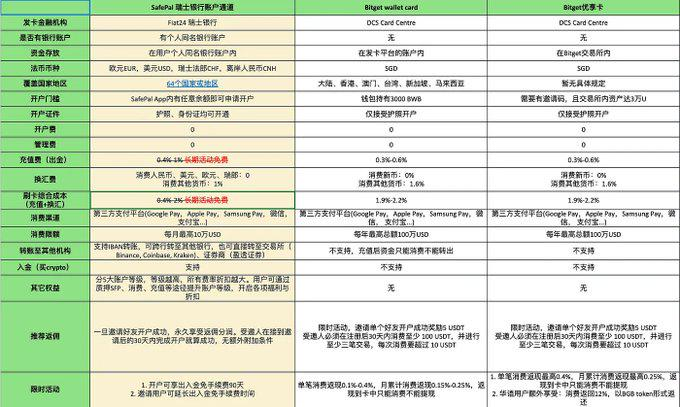
SafePal has a deep partnership with Swiss bank Fiat24. Users can open a personal bank account within SafePal and convert crypto to USD or EUR for real-world spending.
2. About SafePal Bank Account
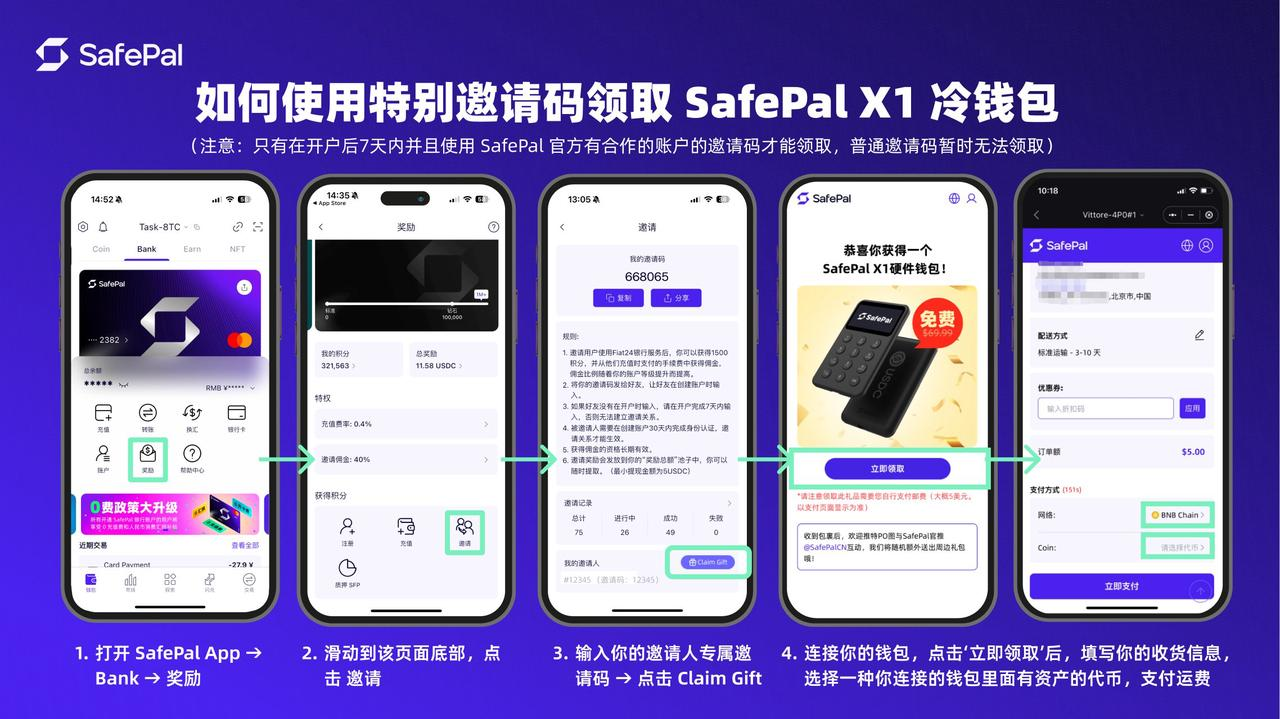
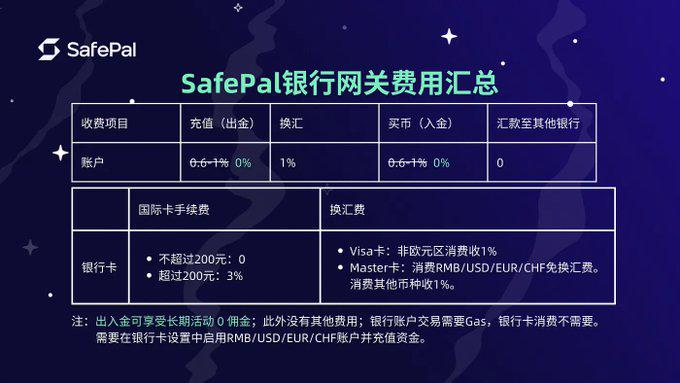
Swiss Bank Account (Fiat24): Each user gets an independent Swiss IBAN account supporting fiat deposits/withdrawals, bank transfers, and currency exchange.
Mastercard (Virtual Card): A 16-digit Mastercard that can be linked to Alipay/WeChat for online and offline payments. Now available in China.
Fees: Top-up fee 0.6%-1% (currently waived during promotion). 1% exchange fee can be avoided by opening matching currency accounts: RMB for domestic, USD for GPT/Twitter subscriptions.
Limits: 100K USD/month in China. Alipay: ≤3000 RMB/transaction, ≤$10K/year. WeChat: 3000 RMB/transaction, 15000 RMB/year. 3% Mastercard fee for transactions over 200 RMB (subsidized below 200 by WeChat/Alipay).
3. Account Setup Tutorial
- • Download SafePal APP
- • Prepare your ID card or passport
- • Prepare some ETH on Arbitrum for gas + 15 USDT for activation
- • Do NOT use VPN — it will cause location verification to fail
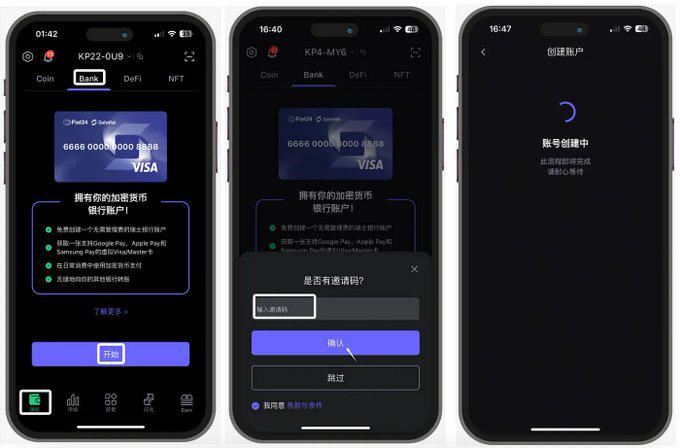
Create Bank Account
Open SafePal APP → Tap "Bank" → Tap "Get Started"
Enter invite code: 668065
Register Bank Account (KYC Verification)
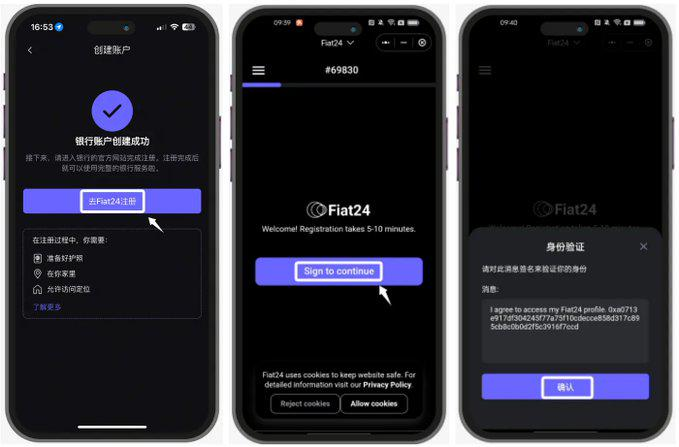
Tap "Go to Fiat24 registration" → "Sign to continue" → Confirm signature
Check three boxes: at home, have ID/passport, GPS enabled. Then select passport or ID for verification.
Android: NFC ID scan takes 1 minute. iOS: passport scan.
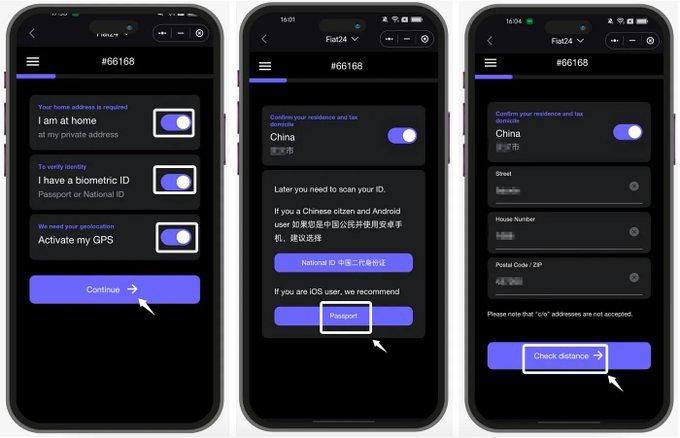
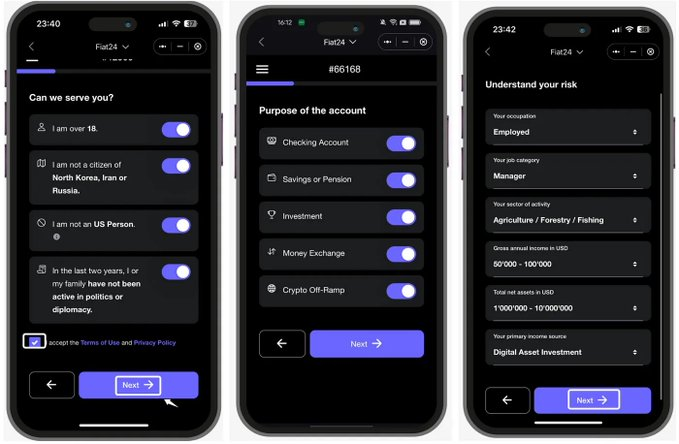
Fill address → Click Check to verify GPS → Select personal info (over 18, not sanctioned country) → Fill occupation and income → Bind email and verify
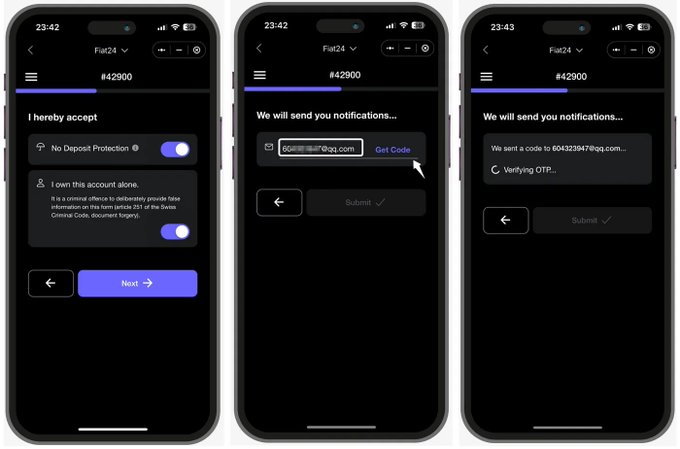
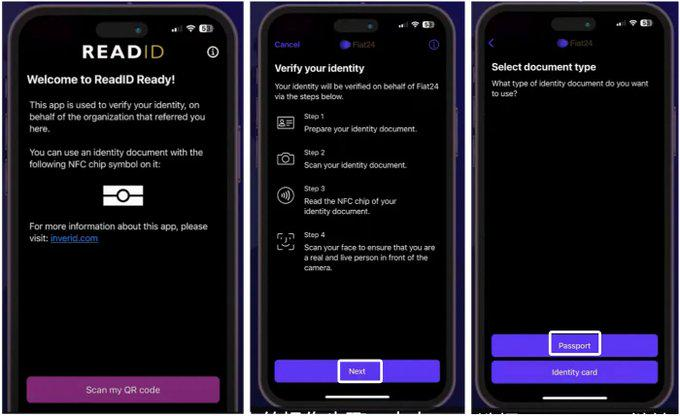
After confirming, the app will redirect to Read ID for document scanning and facial recognition.
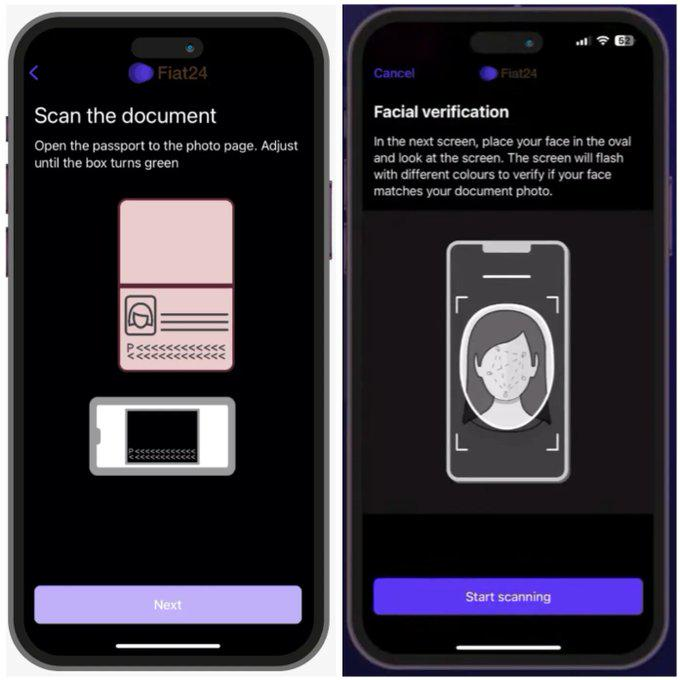
Wait for Fiat24 Approval
Usually 1-3 business days. You will receive an email notification. As long as info is correct, approval is almost guaranteed.
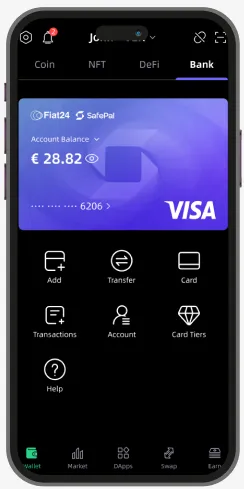
Activate Bank Account
Need 10+ USD in wallet. Tap "Bank" → "Top Up" → Select USD/RMB/EUR/CHF → Enter amount and confirm. Requires ETH on Arbitrum for gas.
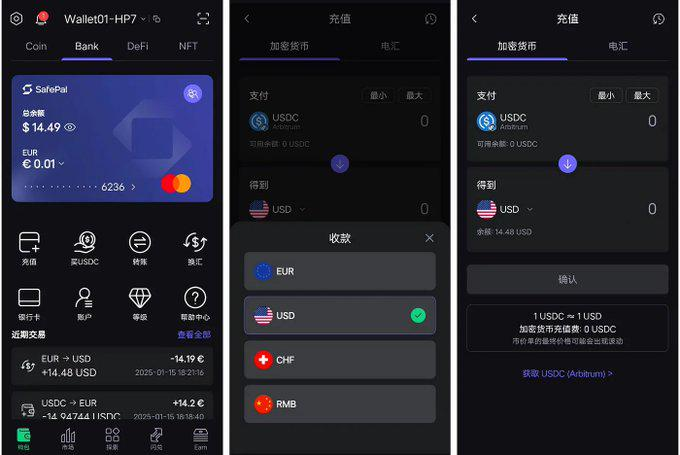
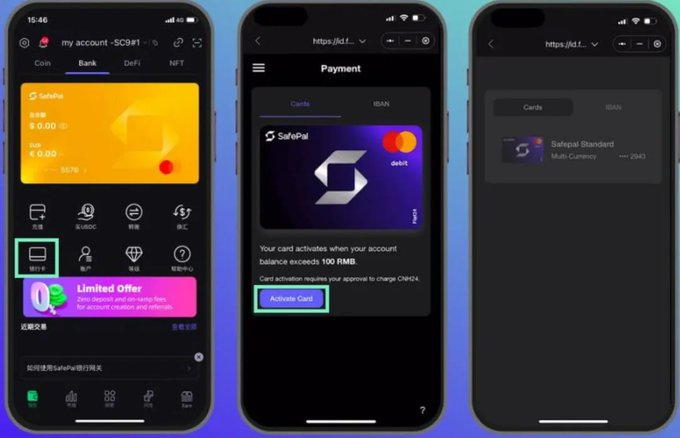
4. Mastercard Activation
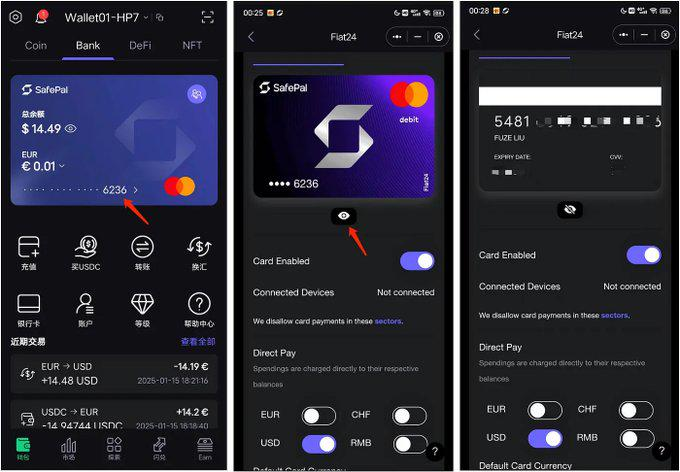
In SafePal APP, go to "Bank" → Tap "Card" → Apply for Mastercard
If invite code is needed: 668065
After activation, view full card number, expiry, and CVV. Use these to link to Alipay/WeChat.
⚠️ Never share your CVV code!
5. Claim Free Hardware Wallet
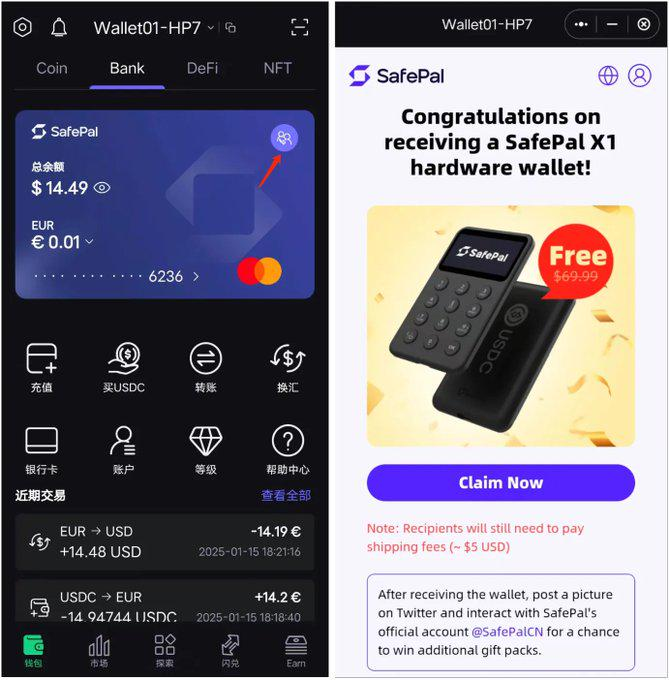
Go to Bank page → Tap invite icon on card → Tap "Claim Now"
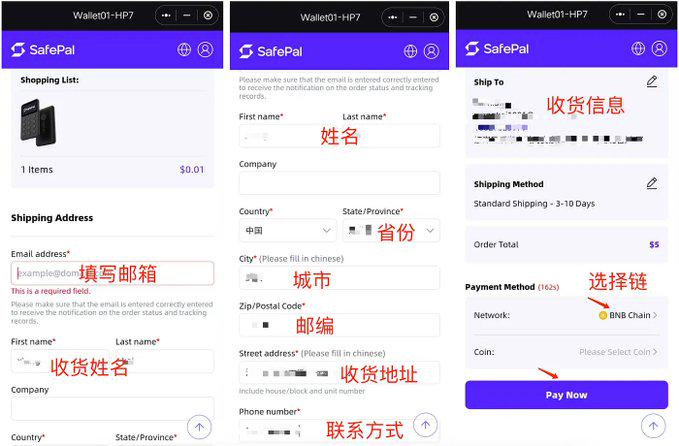
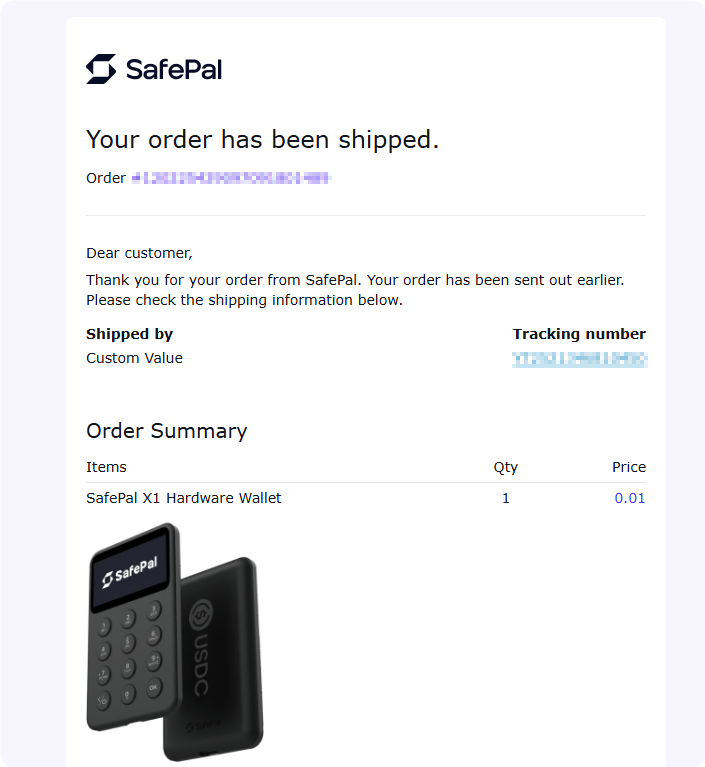
Fill email, shipping address, and contact → Select blockchain → Pay Now (0.01U)
Then wait for delivery.
If invite code is needed: 668065

Get Started Now
Download SafePal APP, enter code 668065, 3 minutes to open account